So, you’d like to take blogging for a test drive, eh?
See if you like it or not before ponying up the bucks for a complete self-hosted WordPress setup?
You’ve probably heard you can start a blog for free, and indeed you can. The big question is:
What’s the best free blogging platform right now?
And the answer is… it depends on what you’re trying to accomplish.
In this post, we’ll go over all the different free blogging platforms and give you the pros and cons of each, but first, let’s stop to ponder a more fundamental question:
Table of Contents
- Do You Even Need a Free Blogging Platform?
- No Blogging Platform is Right for Everyone
- #1. Medium: Best Platform for Simplicity
- #2. WordPress.com: Best Sandbox Platform
- #3. LinkedIn: Best Platform for Professionals
- #4. Instagram: Best Platform for Visuals
- #5. Guest Blogging: Best Platform for Building Your Authority
- Making the Switch to Self-Hosted WordPress
- What’s the Best Free Blogging Platform for You?
Do You Even Need a Free Blogging Platform?
The truth:
Blogging can be expensive.
If you’re a seasoned blogger who’s been around the block a time or two, who’s already figured out which ideas work and which don’t, it’s easy to chalk up these costs as the price of doing business. Spend money, make money. Wash, rinse, and repeat.
But what if you’re a beginner learning how to start a blog for the first time? What if you’re someone who hasn’t yet figured what works and what doesn’t?
I’ll let you in on a secret…
You can experiment just as well on a free blogging platform as you can on a self-hosted WordPress setup with all the bells and whistles.
Actually, you can experiment better on a free blogging platform since the learning curve isn’t as steep.
Do you really want to experience the inevitable growing pains of blogging while forking over large piles of cash each month?
Free blogging platforms allow you to confirm your blog topic has potential, spy on the competitors in your niche, and test your ideas without spending any of your hard-earned dough.
So which one is best?
Well, that’s the thing:
No Blogging Platform Is Right for Everyone
Different bloggers have different needs, and different blogging platforms are good for different things. Ultimately, “best” will depend on you and your situation.
That said, each of the platforms we’ll discuss do have common traits (besides being free). Let’s briefly look at them before we dive in:
- There’s zero maintenance hassle. The burden of maintenance doesn’t fall on you when you use a free blogging platform. No worries about software updates, data backups, or gremlins hacking your server — they’re all handled by someone else.
- They’re easy to use. To varying degrees, each platform is friendly to beginners. With limited tech savviness, you could get started today.
- Customization is limited. If you’re a micromanager, take a deep breath: you will not have full control or unlimited options when you use a free blogging platform.
That last one can be both a blessing and a curse.
Once you get serious about blogging, the limited customization options of free platforms will likely hold you back. When you’re just starting though, the limitations will help you focus on what’s important: the aforementioned testing of your ideas.
Alright, enough prologue.
Ready to find out which platform is best for you? Let’s go.
#1. Medium: Best Platform for Simplicity
First up is Medium.
Founded by Evan Williams, one of the founders of Twitter, Medium launched in August 2012 to much fanfare, and it’s grown into a behemoth. According to the New York Times, as of May 2017, Medium was up to 60 million unique visitors each month.
That’s considerably less than WordPress, but Google Trends indicates the tide could be turning:
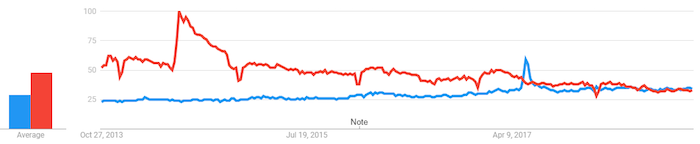
The red line in the graphic above represents the number of worldwide searches for “wordpress” during the past five years. The blue line represents the number of searches for “medium.”
Granted, some of those “Medium” searches could be for the TV show of the same name that starred Patricia Arquette from 2005 through 2011.
Nonetheless, it’s growth is impressive.
How Do You Get Started?
Medium offers multiple ways to register.
Don’t want to remember yet another password for yet another account? No problem. Sign up using one of your social media accounts.
Go to Medium.com and click the “Get Started” button:
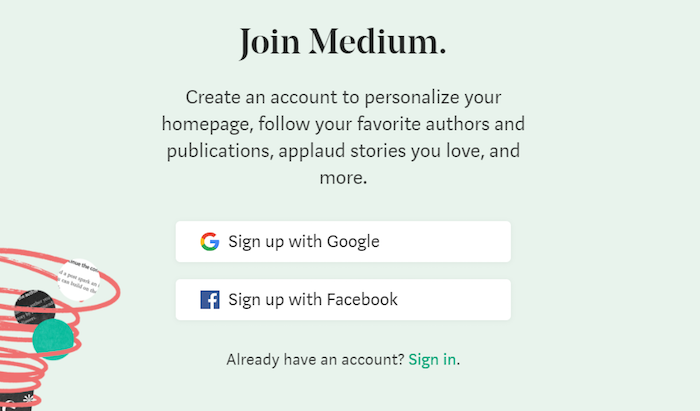
Choose Google or Facebook. You’ll then be asked to log into your (Google or Facebook) account. Once you authorize Medium to access your account, it will redirect you back to Medium.
That’s it.
To get to your Medium account in the future, all you have to do is click “Sign In” on the homepage and choose the “Sign in with Google” or “Sign in with Facebook” option.
Or if you already have a Twitter account, it’s even easier. Choose the “Sign In” link instead of the “Get Started” button, and you’ll see the following:
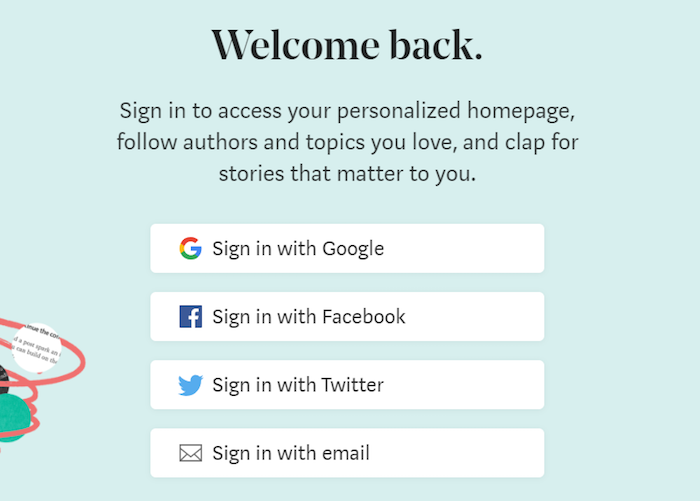
Click the “Sign in with Twitter” button (even though you haven’t yet signed up).
If you haven’t already logged into Twitter, you’ll be asked to log in and then authorize Medium to access your Twitter account.
Click “Ok,” and you’ll be off to the races.
What Do You Get For $0?
A simple, beautiful WYSIWYG (what you see is what you get) blogging platform that embraces minimalism.
After you join, click your avatar (the floating head) in the top-right corner of the page and then, select “New story.”
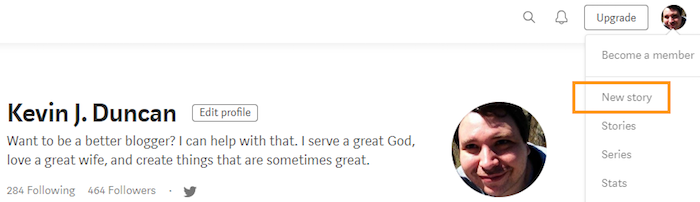
You’ll land on a clean, easy-to-use editor.
Where to insert the title for your post is clearly defined. So, too, is where to begin typing your first sentence.
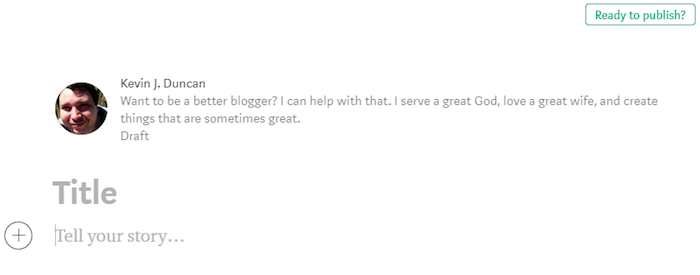
Every change you make gets automatically saved in the background. And as you type, you begin to see exactly how your finished post will appear to your readers.
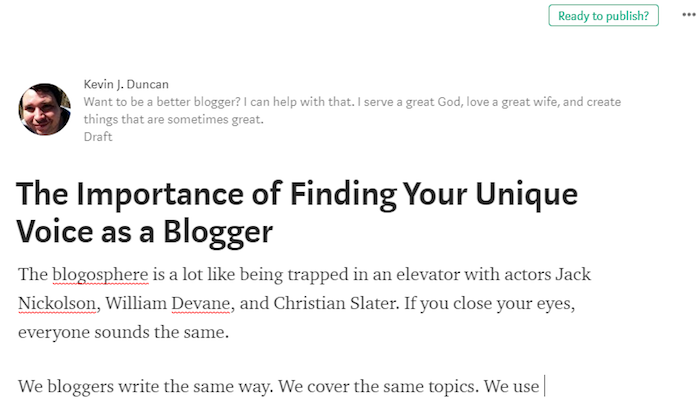
That’s the beauty of a WYSIWYG editor.
There’s no guessing, no wondering, and no trial and error. If your post looks good in the editor, it’s going to look good when your post goes live after you click the “Ready to publish?” button.
And speaking of what happens after publishing, there’s something else Medium offers you for the whopping price of zero dollars and zero cents:
The chance to be featured in front of their 60+ million readers.
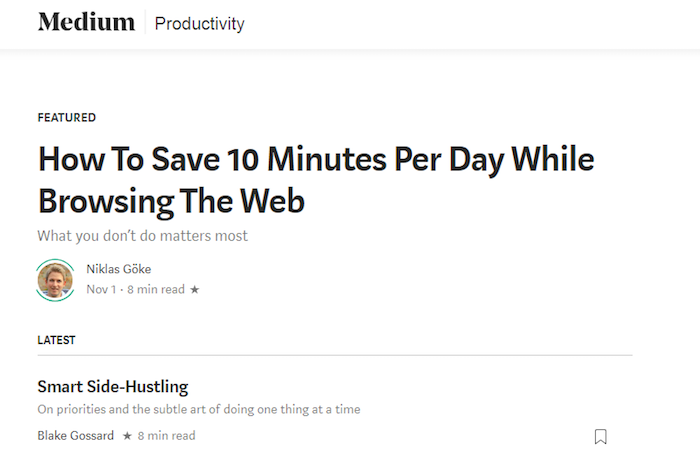
Write something that wows people and, if it receives enough love from readers (they click a “clap” button to show their approval), it could get featured as one of Medium’s top stories on their app and website…
Or in their “Daily Digest” email…
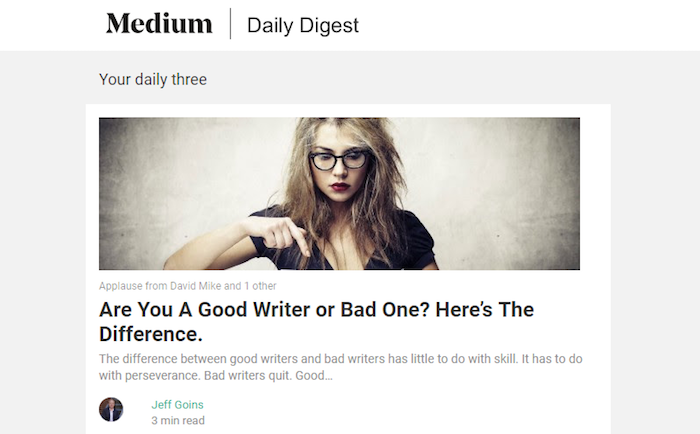
Such a spotlight would mean lots of new eyeballs on your content.
Who Should Use Medium?
Anyone. Everyone.
Seriously, though it isn’t perfect, you’ll be hard pressed to find a blogging topic or niche that Medium can’t service.
This is especially true if your niche will be self-improvement or entrepreneurship. Medium puts your content, your message, front and center to your readers.
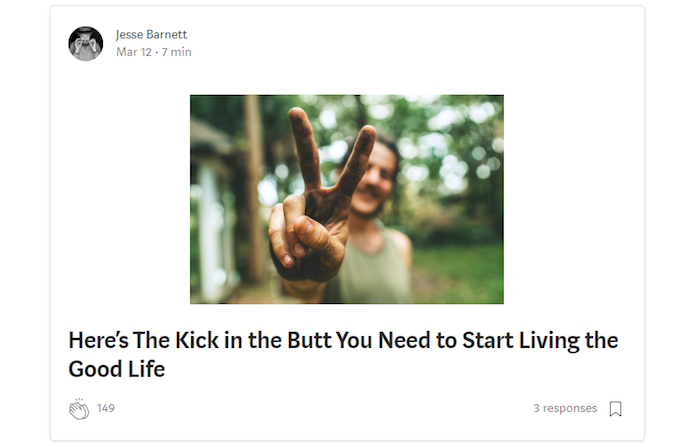
As Evan Williams once put it: “Medium is not about who you are or whom you know, but about what you have to say.”
Best-selling authors. Entrepreneurs. Writers who stepped away for a season, but are making a comeback. Ministers who have a good sense of humor. Yours truly.
All have things to say, and all have found homes on Medium.
Who Should NOT Use Medium?
Microbloggers (you’d be better off using Instagram — more on that later).
Those who don’t plan on using their blog for writing (photographers, podcasters, etc.).
Anyone who likes to color outside the lines.
Medium is all about the written word. Sure, graphics embedded into Medium posts look great, but in the end, it all comes back to the words.
Medium is best for those who love words. It excels at typography. It uses an abundance of white space so that its text has a perfect canvas. It embraces a minimalistic design so that nothing distracts your readers from your precious — yes, I’m going to repeat it — words.
Look at this example screenshot from a post written by Jeff Goins:
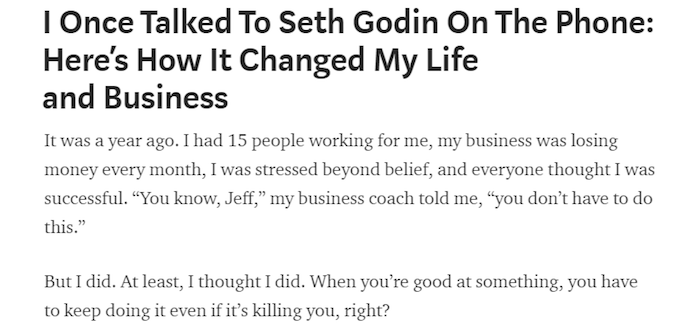
Black text on a white background. A simple, easy-to-read font. It’s a perfect arrangement for Jeff’s strong, unique voice.
Medium offers no glitz, glam, or sparkles. And, unlike WordPress.com (which provides a few basic design themes and customization options), Medium is one size fits all.
What you see is what you get.
If you like what you see, great. If you don’t, there’s not a lot you can do about it.
Final Word on Medium
What are the Pros?
- Built-in audience of over 60 million readers!
- Good for all blog types
- Excellent typography — your blog will look professional
- More business friendly than WordPress.com
What are the Cons?
- Little, if any, customization — your blog will look like every other Medium blog
But is it the right choice for everyone?
Let’s look at the other options…
#2. WordPress.com: Best Sandbox Platform
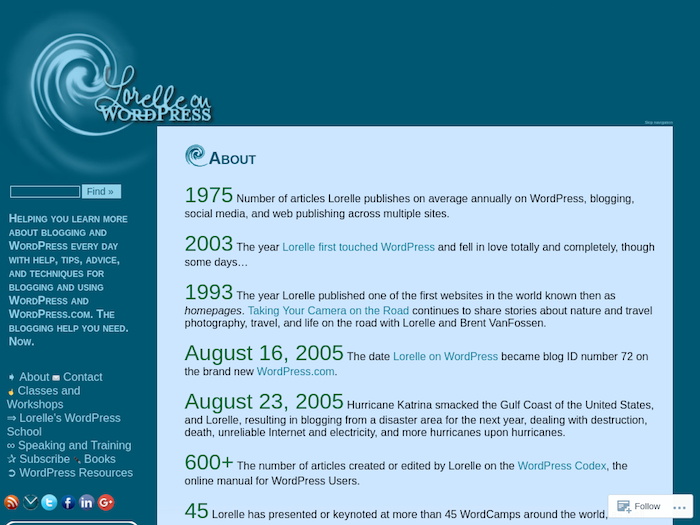
Source: Lorelle on WordPress
Launched in 2005, WordPress.com is a turnkey blogging platform built on the open-source WordPress.org software.
In any given month, over 409 million people will view more than 21 billion pages on WordPress.com’s network of blogs. In September 2018, more than 70 million posts were published and over 52 million blog comments were written.
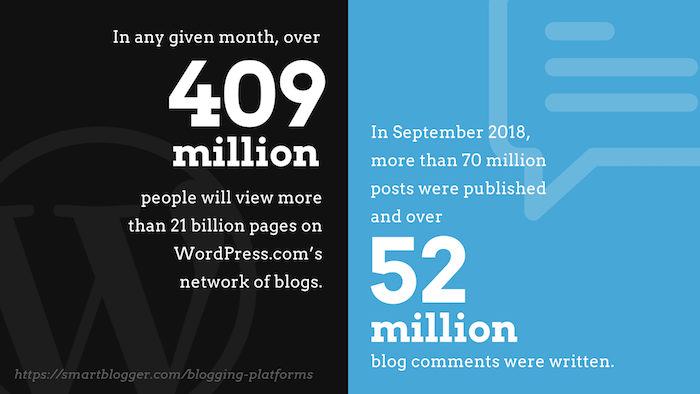
In short, WordPress is quite popular.
How Do You Get Started?
Signing up for a free account takes only a few minutes.
Go to WordPress.com and click the “Get Started” button to get to Step 1:
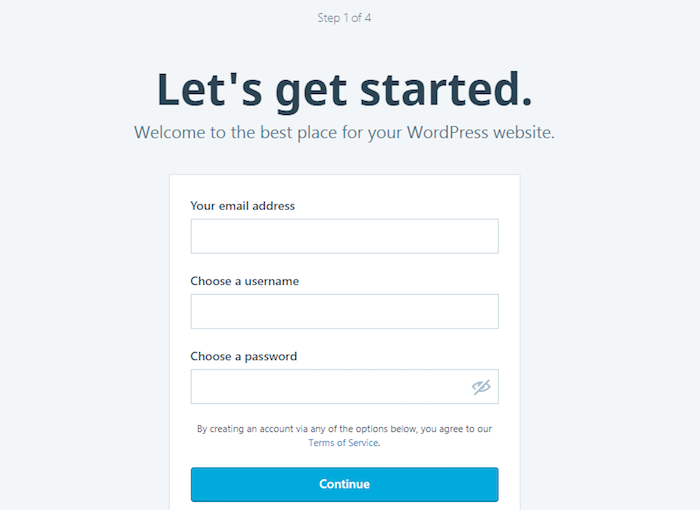
You’ll need to enter your email address, a username, and a strong password.
Next, enter a few details about your blog for Step 2:
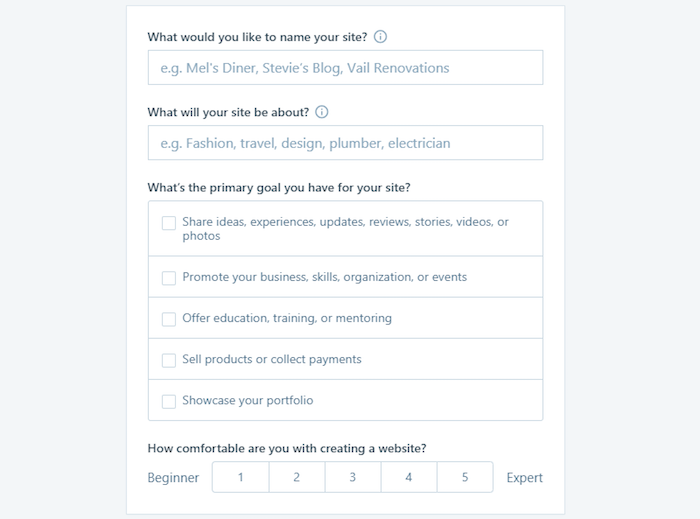
For Step 3, enter an address for your site:
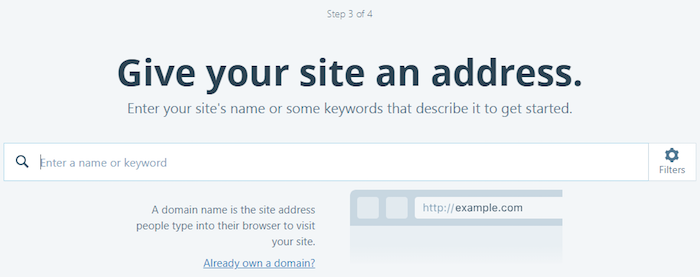
Once you’ve typed something, you’ll get a list of options. Be sure to select the “Free” one.
Finally, in Step 4 you pick a plan. Again, choose the “Free” option.
What Do You Get For $0?
WordPress.com’s “free for life” plan gives you numerous features, including:
- A free WordPress.com subdomain
- “Jetpack” essential features
- Community support
- Dozens of free themes
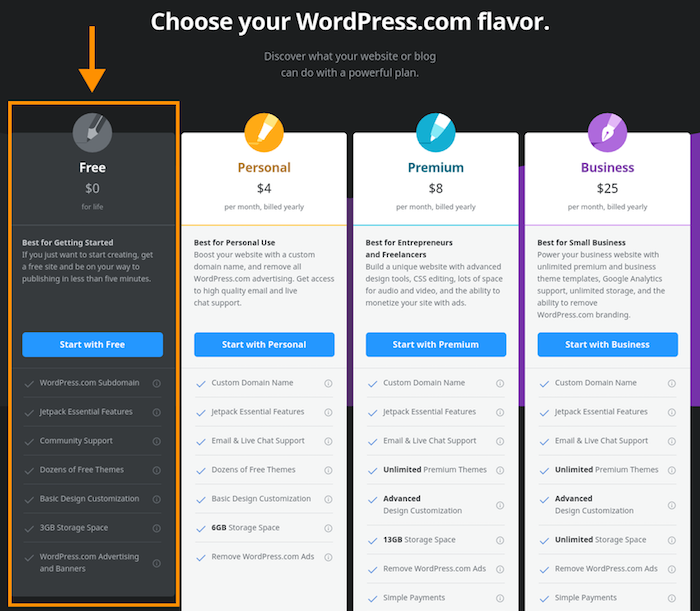
Let’s look at those features in more detail:
Free Subdomain
A couple of definitions are probably in order…
First, what’s a domain? See the address bar at the top of your browser? What comes after the “https://” is the domain.
In the case of this site, the domain is smartblogger.com. For my site, it’s beabetterblogger.com.
And in the case of WordPress, the domain is wordpress.com.
So what’s a subdomain? If the domain is the parent, the subdomain is the child. Anything between the “https://” and the domain is a subdomain.
Some examples:
- alumni.harvard.edu
- braves.mlb.com
- finance.yahoo.com
That’s what WordPress is offering with its free subdomain.
So, if I wanted to start “Kevin’s Awesome Blog” on WordPress.com, my subdomain might be something like kevinsawesomeblog. Readers would type kevinsawesomeblog.wordpress.com in their browser to view my site.
It’s not a good look if you’re a business (more on that later), but for a sandbox blog where you’re testing your ideas, it’ll do the trick.
Jetpack Essential Features
WordPress.com doesn’t allow third-party plugins (unless you upgrade to their “business” plan). So, if your buddy tells you about this “amazing” WordPress plugin “you’ve got to try,” you’re out of luck until you upgrade to a self-hosted WordPress site.
However, WordPress.com’s free plan does come with many built-in plugins that offer everything from spam protection to contact forms.
For a complete list of the built-in functionality that WordPress.com offers, check out their plugins page.
Community Support
Possibly WordPress.com’s best feature (beyond the price) is its extensive support system and knowledgebase.
You can find virtually anything you need to know about using their free platform in WordPress.com’s Support section. To call their collection of how-to articles merely “extensive” would be an understatement.
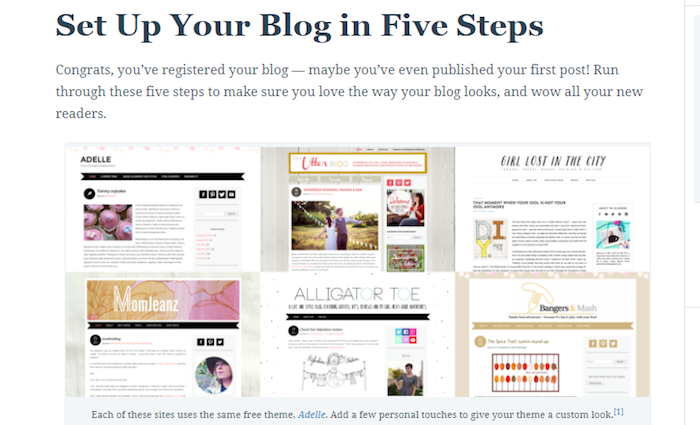
And if you have a specific question you need an answer for, they have you covered there too.
Visit the WordPress.com forum, search to see if anyone has had your same question, and browse the answers. Can’t find the solution you need? Post the question yourself.
Free Themes
Whereas Medium prevents you from customizing the look of your blog, WordPress.com gives you options.
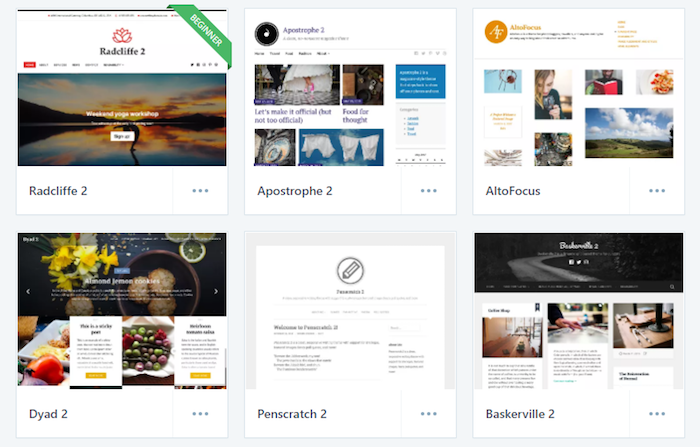
With “dozens” (93 at the time of this writing) of free themes from which to choose, WordPress.com offers design flexibility that isn’t available with Medium and the other free platforms.
What we’re saying is…
You get a lot for “free.”
Who Should Use WordPress.com?
WordPress.com is a solid platform for almost every type of blogger.
Do you want to be a self-help blogger? Good news — WordPress.com will meet your needs.
Want to blog on food, pets, or politics? You’re in luck.
Just want to write about life? That’s WordPress.com’s jam, my friend.

Source: The Next Adventure
But WordPress.com is good for more than just blogging. You can also use it for projects and e-commerce stores, which isn’t something the other free platforms can claim.
That gives it an edge over the other options. If you want to blog and do something else with your site, WordPress.com offers flexibility the others do not.
However, it’s not a good fit for everyone…
Who Should NOT Use WordPress.com?
If you want to blog for a business, you should skip WordPress.com and look into Medium or LinkedIn (which we’ll discuss in a moment).
Why?
Because it makes you look like a cheapskate.
Free is wonderful, but using WordPress.com when you’re a business is the equivalent of handing out business cards with the printer’s logo on the back of them.
Doesn’t exactly scream “I’m a professional,” does it?
Also:
If you’re hoping to join a blogging community where your posts have a chance to be discovered by new audiences, you should look elsewhere.
Medium shines a spotlight on the best their members have to offer. If you write something great, it has a chance to be featured and seen by millions.
WordPress.com? Not so much.
Here’s a screenshot of the most-recent “Editors’ Picks” on the official WordPress.com blog:
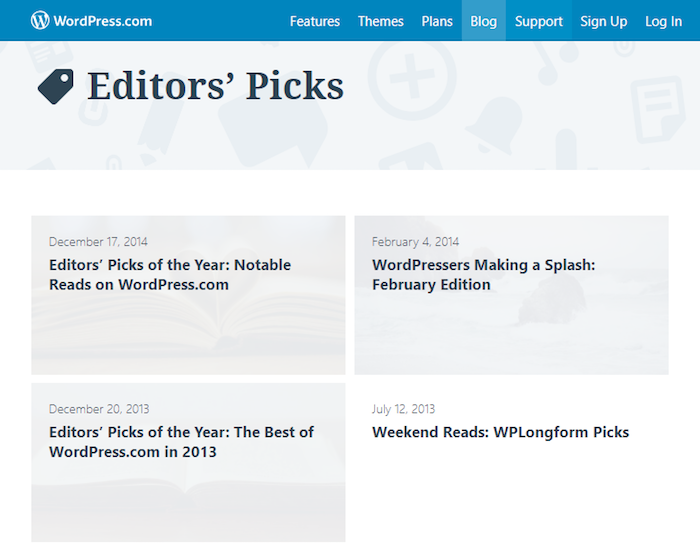
There might as well be tumbleweeds blowing across the screen.
Final Word on WordPress.com
What are the Pros?
- Suitable for a variety of blog types
- Solid support articles and forum
- More design options than other free platforms
- Shorter learning curve if you choose to transition to self-hosted WordPress later
- Good for more than just blogs
What are the Cons?
- Not ideal for businesses
- You can’t install third-party themes and plugins
- Lack of community makes it difficult to build an audience from scratch
- WordPress advertising and banners may appear next to your content
#3. LinkedIn: Best Platform for Professionals
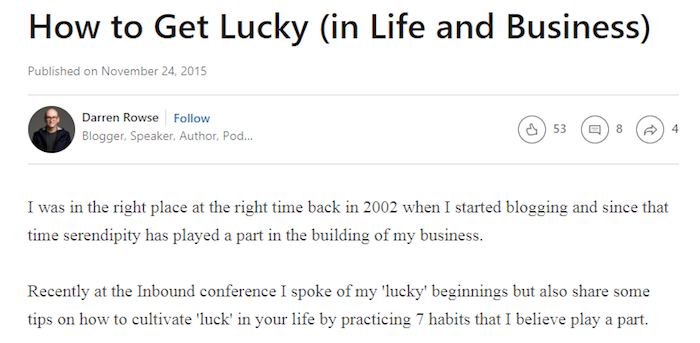
Source: Darren Rowse
Next up is LinkedIn.
Primarily used for professional networking, LinkedIn also offers a publishing platform. This allows any of its 560 million users (as of September 2018) to write posts that could (potentially) be read by any of the 260 million members who are active in a given month.
(Again, potentially.)
How Do You Get Started?
Go to LinkedIn.com, and you’ll see this window encouraging you to join:
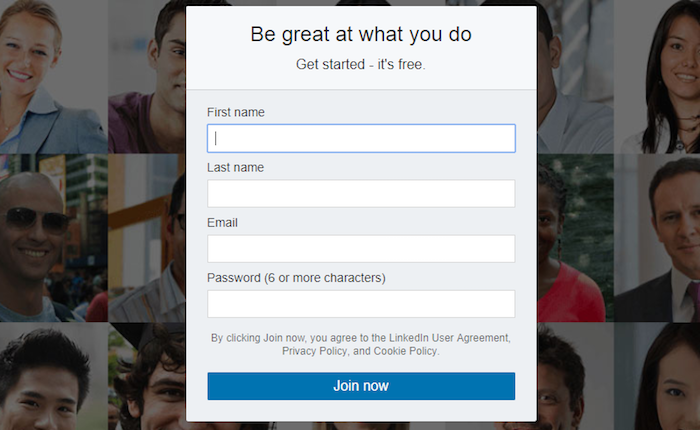
Enter your name, your email, and a strong password. Then click the “Join now” button.
You’ll then be asked to answer a few simple questions:
- Your country and zip code
- Whether or not you’re a student (if no, you’ll enter your job title and the name of your employer; if yes, you’ll enter the name of your school and other relevant info)
- Your reason for joining LinkedIn
It sounds like a lot, but it’s fairly harmless.
Still, if you feel the urge to throw your computer into the dumpster, we won’t blame you.

What Do You Get For $0?
A free-to-use publishing platform that’s focused on professionals and business contacts.
If you’re already a LinkedIn member, publishing your content will be easier than WordPress.com, Medium, or any other blogging platform.
Why?
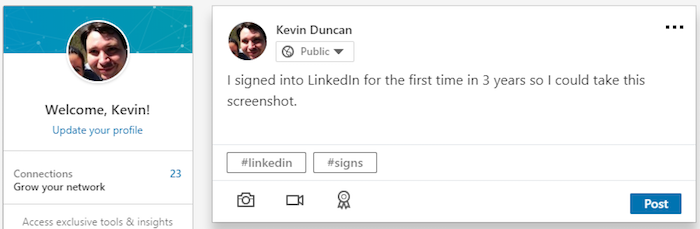
Because it’s built right into your LinkedIn profile. Click the “Write an article” button and start writing.
Who Should Use LinkedIn?
Anyone who wants to reach professionals and businesses.
After all, that’s what LinkedIn is all about, right? Nurturing business relationships.

Source: Syed Balkhi
Blogging on LinkedIn helps to cultivate those relationships.
When you write an article, LinkedIn will notify your existing connections. If your article is great (and why wouldn’t it be?), they’ll take notice. Write more and more great articles, and they’ll start to see you as an authority.
And, like with Medium, great content on LinkedIn has a chance to get noticed by those outside your list of connections.
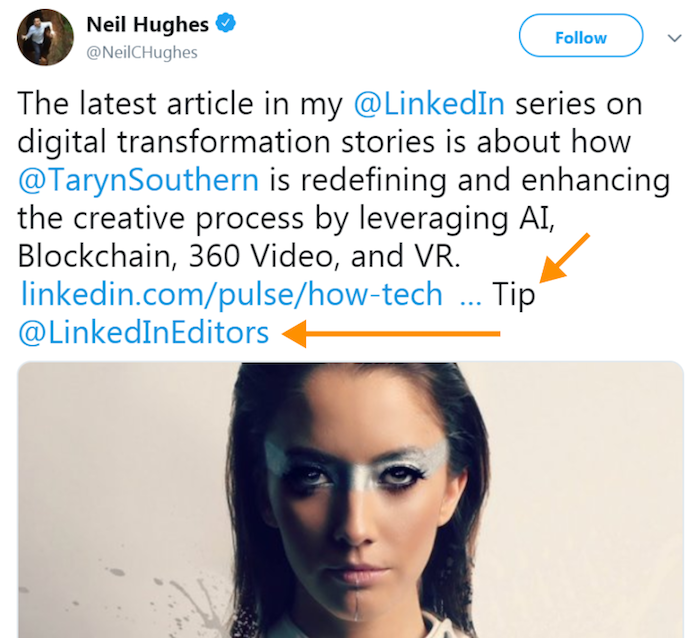
If one of LinkedIn’s editors sees your masterpiece and decides to feature it on one of LinkedIn’s numerous channels, your work gets exposed to a giant audience of interested, like-minded professionals.
Who Should NOT Use LinkedIn?
This one is pretty straightforward…
If you aren’t a working professional, or you’re not looking to reach working professionals, you’ll be better off choosing one of the other free platforms.
Final Word on LinkedIn
What are the Pros?
- Good for professionals and businesses
- Clean, simple design
- Easy to use — publishing platform is built right into your LinkedIn profile
- Built-in audience of like-minded professionals
What are the Cons?
- Only good for professionals and businesses
- Very few customization options
- You can’t schedule posts for future publishing
#4. Instagram: Best Platform for Visuals
A photo and video-sharing platform that’s owned by Facebook, Instagram is one of the largest social media sites in the world.
As of June 2018, Instagram has 1 billion users worldwide. The previous September, they had 800 million users — a growth of 200 million in only nine months.
Even if you subtract everyone who follows a Kardashian or has posted a photo of themselves impersonating a duck, Instagram offers an audience of well over 75 people.
(Kidding. Mostly.)
How Do You Get Started?
On a personal computer, go to Instagram.com, and you’ll see the following:
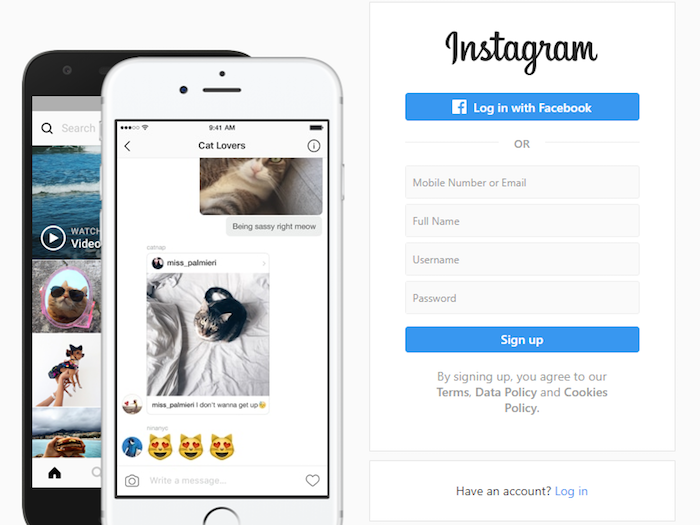
Enter your phone number or email address, your name, your desired username, and a strong password. Then click the “Sign up” button.
Or, skip all that and click the “Log in with Facebook” button (assuming you have a Facebook account). If you aren’t already logged in, it will ask you to log into your Facebook account.
You could also do the above using the Instagram app on your mobile device.
What Do You Get For $0?
You get an extremely popular social media platform that’s perfect for microblogging.
What’s microblogging, you ask? Here’s how it works:
You get a great image. Maybe it’s a photo you took on your camera, or perhaps it’s a Creative Commons image that perfectly fits your current shade of melancholy.
You upload the image to Instagram.
And for the caption? You write a short blog post.
Here are a couple examples:

In the above screenshot, Sarah Von Bargen cleverly plugs a course she offers in the midst of a tiny, bite-sized post (accompanied by a photo of assorted beverages).
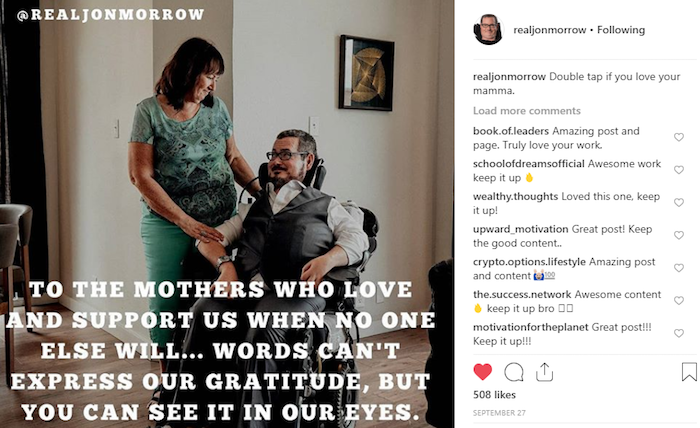
And in the below screenshot, my friend Jaime Buckley (in true Jaime Buckley style), uses Instagram to publish an eye-catching graphic alongside 107 inspirational words on parenting.

That’s microblogging — and it can be done very, very well using Instagram.
Who Should Use Instagram?
Anyone who focuses on highly-visual topics.
Models…

Photographers…

Yoga instructors…

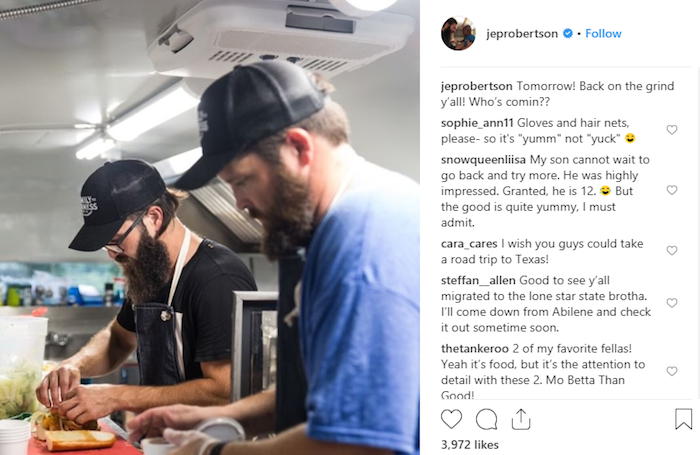
Professional chefs…
Make-up artists, hair stylists, clothing stores…
The list goes on and on.
If you’re someone who can combine great visuals with short posts that pack a punch, you can have great success using Instagram as a microblogging platform.
Who Should NOT Use Instagram?
If your idea of a great image involves pulling out the iPhone 3G you’ve had since 2008 and snapping a photo, Instagram may not be the platform for you.
If you tend to draft novels when you write, Instagram’s 2,200 character limit when writing captions could prove problematic.
Also, if your target audience tends to shy away from mobile devices for any reason, Instagram might not be the best platform to test your ideas. Instagram started life as a mobile app. Mobile is where it shines, and it’s where most of its users call home.
(So, if you’re planning to start a Wilford Brimley fan club, it’s probably best to skip Instagram.)
Final Word on Instagram
What are the Pros?
- Great for visual topics
- Ideal platform for microblogging (short posts)
- Great if your target audience primarily uses mobile devices
What are the Cons?
- Limited to 2,200 characters
- Limited to one hyperlink (in your bio)
- If your target audience isn’t on mobile, it’s less than ideal
#5. Guest Blogging: Best Platform for Building Your Authority
Sometimes, the best platform for your work is someone else’s popular blog.
Why? Because it can mean instant credibility.
Once your post publishes on a site like Smart Blogger, Forbes, Lifehacker, or Business Insider; people look at you differently.
Yesterday, you were just you — a talented, attractive writer living in obscurity. But then, after having your work published on a well-known website, you’re now seen as a subject matter expert in your field.
What happened? Guest blogging happened.
How Do You Get Started?
There are two approaches to finding sites where you can contribute guest posts.
The first is easy…
Check to see if the blogs you already like to read (that are relevant to your niche, of course) accept guest post submissions.
Browse their “About” or “Start” pages. Try their “Contact” page. Sometimes, they’ll make it easy and have a “Contribute” or “Write for Us” link in their navigation menu or footer.
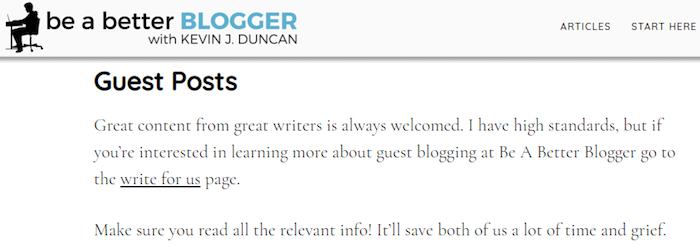
The second approach involves utilizing Google’s and Twitter’s search capability.
Here’s how it works:
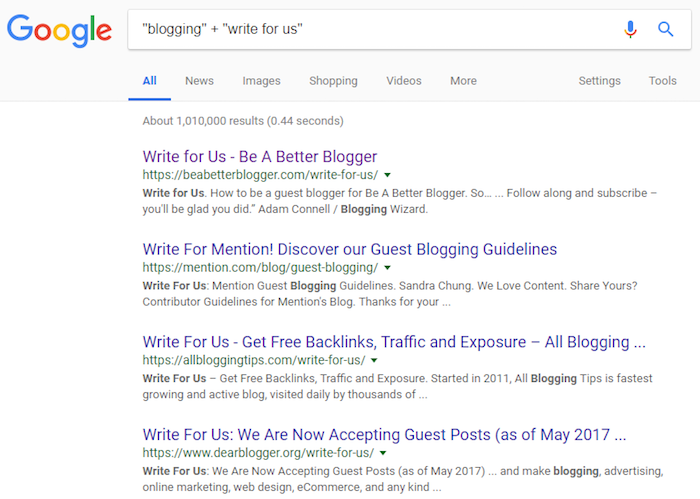
As you can in the screenshot above, you can query a topic (in this example: “blogging”) along with a search phrase (“write for us”).
Google returned a list of results that contained both of those search terms/phrases.
Click on the results that look promising, browse the sites, and see if they’re a good fit. Not all sites will be worth your time. Skip the ones that aren’t. Bookmark the matches.
Then try some other, similar queries:
- “Blogging” + “guest post”
- “Blogging” + “contribute”
- “Blog tips” + “write for us”
And so on.
Replace “blogging” and “blogging tips” with whatever topics you would like to write about.
Searching for guest blogging opportunities on Twitter follows a similar routine:
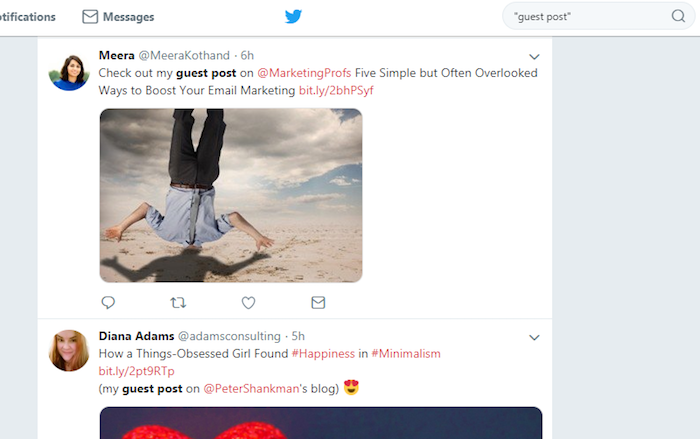
Type “guest post”, “guest blog post”, “guest article”, etc. in the search box. Twitter will give you a list of tweets where people used those exact phrases.
Every time someone proudly tweets that a guest post they’ve written has been published on someone’s site, as Meera Kothand does in the above screenshot, it’s saved by Twitter for posterity. And it allows you to go on an archeological hunt find it.
Scroll through the results.
Based on the title of the guest post and the site that published it, you will have a good idea whether or not it’s a match for you. Keep scrolling until you find some possibilities. Click the link in the tweet, browse the site, and bookmark it for later if you think it’s a contender.
What Do You Get For $0?
You get the chance to put your words in front of already-existing, relevant audiences.
Jon wasn’t an unknown when he wrote How to Quit Your Job, Move to Paradise and Get Paid to Change the World as a guest post for Darren Rowse’s ProBlogger in 2011, but he was an unknown to me until I discovered the post a few years later.
Then everything changed.
It didn’t matter that Jon was already well known by most thanks to his former role at Copyblogger; for me, his ProBlogger post was a gateway drug.
Jon went from being an unknown — a riddle, wrapped in an enigma, smothered in secret sauce — to an authority on blogging I had to read.
That’s the power of guest blogging. Every time you put your words in front of newly targeted audiences; you have the chance to gain fans for life.
Who Should Guest Blog?
Anyone who wants to build their credibility and boost their authority.
How can guest blogging do that, you ask? Let’s use me as an example.
Before I wrote my first guest post for Smart Blogger, the only people who viewed me as an authority on blogging were my wife and maybe one of our cats.
My site, Be A Better Blogger, was less than a year old. After reading a post about quitting your job and moving to paradise written by some guy named Jon, launching my own “blog about blogging” sounded like a great idea.
So that’s what I did. I was on unemployment at the time, and I had a lot of free time on my hands.
And I was doing a great job in such a short period.
The only problem?
I had little credibility. Few saw me as an authority on the topics I was writing.
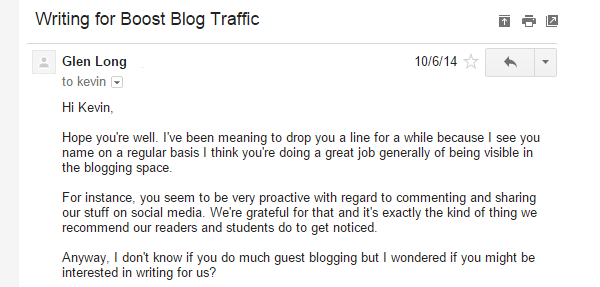
Then I received an email…
Jon’s editor, the talented Glen Long, invited me to write a guest post for Smart Blogger (formerly known as Boost Blog Traffic).
That guest post…
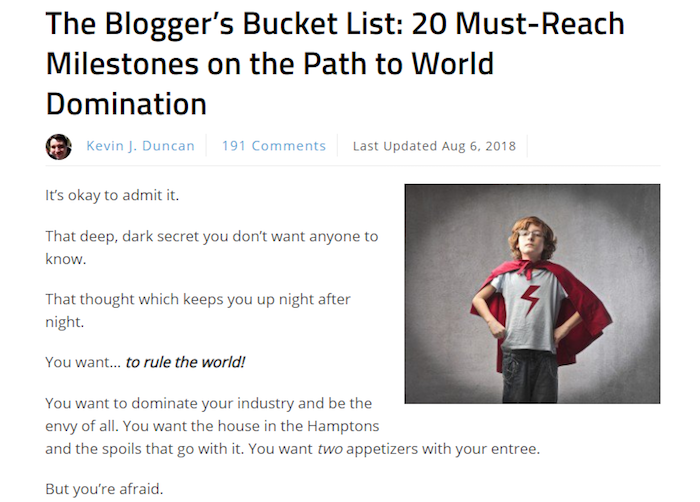
Led to a second opportunity…
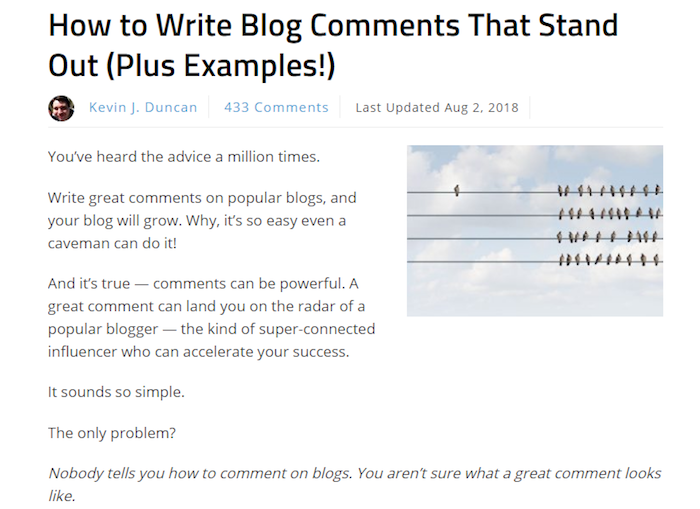
Which led to a third…
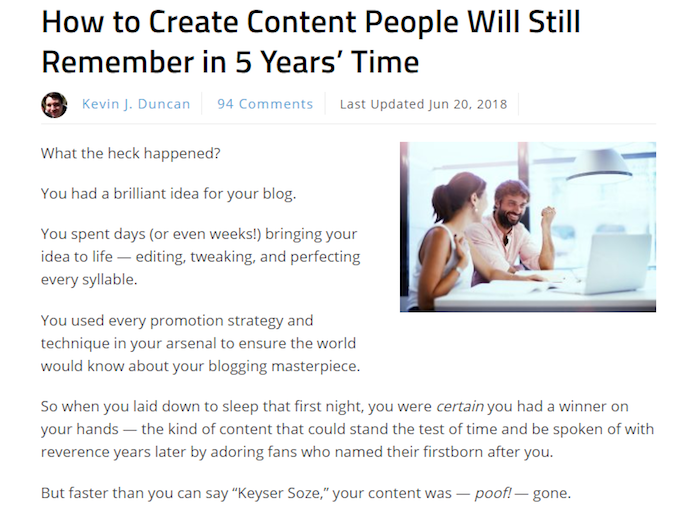
Which led to the post you’re reading right now.
It led to opportunities like writing for Syed Balkhi over at OptinMonster.
It led to being asked to provide quotes for dozens of blog posts and articles.
It led to flattering, tongue-placed-firmly-in-cheek emails like this one from James Chartrand:
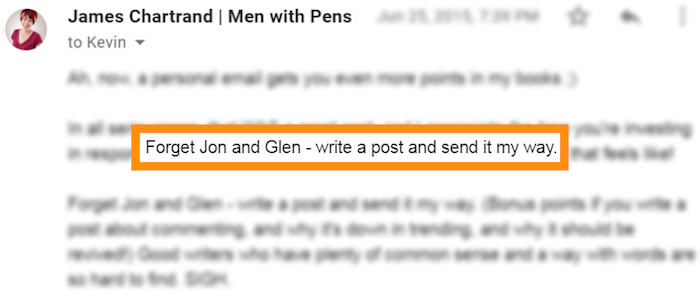
It may not have led to tons of traffic for my website or large crowds chanting my name in the streets, but guest blogging did something that would have taken me considerable time to do on my own:
It legitimized me.
Hey, and speaking of website traffic…
Who Should NOT Guest Blog?
Anyone who wants to build up their own blog.
The reason? It isn’t very efficient.
Brace yourself…
You would better off publishing your masterpiece on your website, even if it isn’t yet popular, rather than on someone else’s — even if their website is very popular.
Please don’t misunderstand: Guest blogging is a great way to gain credibility; however, it isn’t a great way to get traffic to your blog. Not anymore.
Guest blogging may have been a nice traffic source in the past, but those days are long gone.
In his eye-opening article on the topic, Tim Soulo determined guest blogging was a poor return on investment if your goal was to generate traffic to your website.
According to Tim’s survey of over 500 bloggers (which included yours truly):
- Guest posts from those in the marketing niche earned their authors an average of only 56 website clicks
- 85% of the authors received fewer than 100 referrals to their sites
That doesn’t mean you should never guest blog. It just means you need to be clear about your reasons for doing so.
Guest blog for credibility, for boosting your authority, and for building your brand.
Don’t guest blog if you’re hoping for traffic. More often than not, you’ll be disappointed.
Oh, and there’s one more group who shouldn’t guest blog:
Those who want to take shortcuts.
There’s both good and bad when you’re putting your words in front of a large audience. If your post teaches them something new, inspires them, or gives them something juicy to chew on; they’ll remember you for it.
And if it sucks? Yeah, they’ll remember you for that too.
Guest blogging is a great way to build your authority, but it’s also a great way to destroy it.
If you’re not willing to put in the time and do the work, guest blogging isn’t for you.
Final Word on Guest Blogging
What are the Pros?
- Write for interested, targeted audiences
- Fastest way to build your authority and reputation
What are the Cons?
- Fastest way to destroy your authority and reputation
- Not an efficient method for getting traffic to your own website
- Getting published on quality sites is hard work
- Time-consuming — may be hard to fit into busy schedules
Making the Switch to Self-Hosted WordPress
Technically, there’s one more free option out there…
The WordPress.org software — the same software used by WordPress.com — is free too. It’s free for any and all to use.
However, just like there’s no such thing as a free puppy (once you factor in food, veterinarian bills, and replacing all your shoes after they’ve become chew toys), WordPress.org’s software isn’t actually free once you add up the other expenses.
See, to use the software, you have to install it on your own web host. That costs money.
Is this something you will want to do eventually? Absolutely. Just not right now. Not when you’re getting started.
So how will you know when you’re ready?
Jon recommends making the switch once you reach a 20% outreach success rate.
What does that mean? Let’s break it down:
Step #1: Register for a Free Blog
Sign up for Medium, WordPress.com, or whatever free platform best fits your needs.
Step #2: Follow Jon’s New Method for Starting a Blog
If you haven’t read How to Start a Blog in 2018, do so immediately.
(Well, not immediately. Finish reading this post; leave us a comment; and share it with all your friends, loved ones, and acquaintances. Then, by all means, immediately after saying hi on Twitter, go and read Jon’s excellent tutorial.)
In the post, Jon shows you how to conduct a miniature outreach campaign where you email 10-20 influential bloggers and ask them to share your blog posts.
Once you’ve hit a 20% success rate, you’re ready to make the transition.
Step #3: Switch to Self-Hosted WordPress
Jon’s post also offers guidance for making the switch. When you’re ready to choose a web host, be sure to read WordPress Hosting: A Brutally Honest Guide That’ll Save You Money.
It’ll help you pick the best host for your needs and budget.
What’s the Best Free Blogging Platform for You?
That’s the million dollar question, isn’t it?
You now know why testing your ideas on a free blogging platform when you’re just starting is a good idea. You now know the pros and cons of Medium, WordPress.com, LinkedIn, Instagram, and guest blogging. And, you now know how to get started with each of them.
So which one is it going to be?
If you want my honest opinion, the answer is simple…
The best free blogging platform is whichever one will get you to stop dipping your toes into the water and start diving in head first.
The next blogging masterpiece isn’t going to write itself.
Are you ready?
Then let’s do this thing.
The post The 5 Best Free Blogging Platforms in 2019 (100% Unbiased) appeared first on Smart Blogger.
from
https://smartblogger.com/blogging-platforms/